The delivery van leaves the warehouse at eight with a newly fitted tracker, and the person driving it has no idea it is there. That is exactly the situation covered by Article 90 of Organic Law 3/2018 (Spain's data protection and digital rights law): before you track vehicles driven by your staff, you must inform those people expressly, clearly and unambiguously that the device exists and how it works. Below you will find what the article says, which tracker data it is worth telling them about, and an outline for drafting the notice.
What Article 90 of Organic Law 3/2018 says
The law in question is Organic Law 3/2018 of 05/12/2018 on the Protection of Personal Data and the guarantee of digital rights. Its Article 90 is titled «Right to privacy when geolocation systems are used in the workplace» and you can read it in full in the consolidated text of Organic Law 3/2018 on the BOE (Spain's official state gazette).
The article says two things. First: the employer may process geolocation data for the monitoring provided for in Article 20.3 of the Estatuto de los Trabajadores (Spain's Workers' Statute). The second sets out the work that falls to you: you have to tell staff before you start.
«Beforehand, employers must inform workers expressly, clearly and unambiguously […] about the existence and characteristics of these devices» (Article 90 of Organic Law 3/2018).
Vehicle tracking: who the notice applies to
The article refers to employers and workers. Applied to your fleet: if the van, the lorry, the sales rep's car or the tractor is driven by a member of staff, the company must inform them before geolocating that vehicle. The type of vehicle makes no difference; what matters is who is behind the wheel.
If someone drives your vehicles without being on your payroll, raise their case with your employment adviser before installing anything. For your staff, each word of the article translates into something concrete:
| What the article requires | What it means for your fleet |
|---|---|
| Beforehand | The notice arrives before the vehicle sets off with the tracker active. |
| Expressly | A dedicated notice about the tracker, not something that has to be inferred from another document. |
| Clearly | Written so that the driver can understand it, without legal jargon. |
| Unambiguously | No doubt about which vehicle is being geolocated. |
| Existence and characteristics | Which vehicles carry a tracker and what data each one records. |
Which tracker characteristics you need to explain
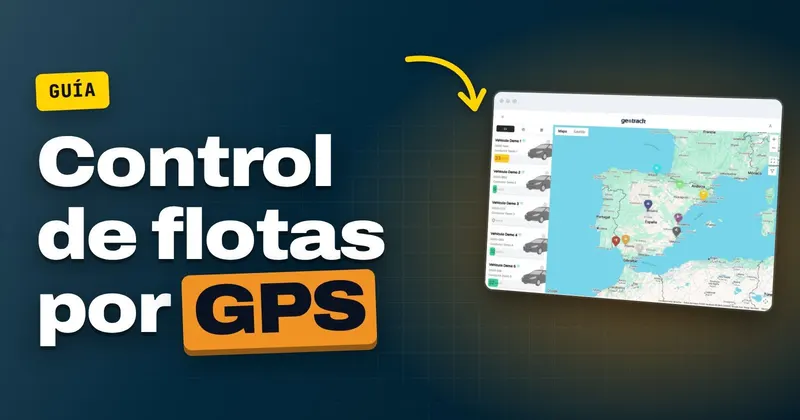
As well as the existence of the device, the article requires you to inform staff of its characteristics. In practice, that means explaining what data it records and where it can be viewed. With GeoTrackr, the unit installed in the vehicle captures the following data:
- the real-time position of each vehicle on the map;
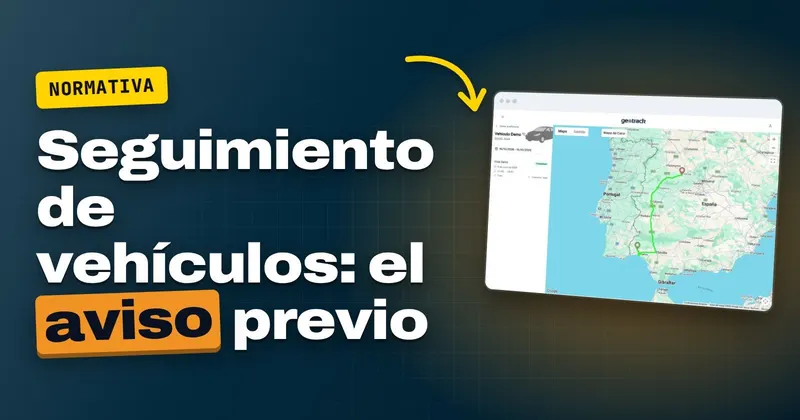
- complete routes and trip history, with a downloadable report;
- the stops and speeds on each route;
- refuelling stops located on the route, with their cost;
- all of it viewable on the web and in the app for Android and iPhone.
Every line of that list should appear in the notice. That way, when a driver sees their trip in the route history, they find nothing they did not already know about.
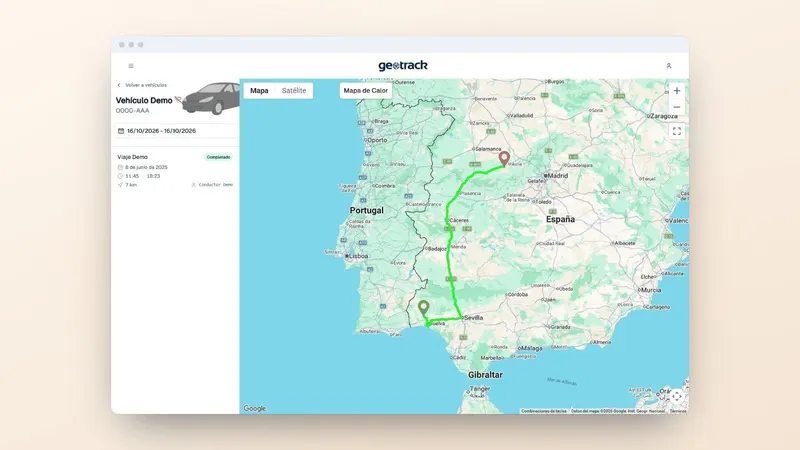
If you want to see exactly what the tracker stores before writing the notice, in GeoTrackr you can go through a sample trip with its route and stops: request the demo with sample data.
How to write the notice to your staff, step by step
List the vehicles that carry a tracker
Registration number, type of vehicle and who usually drives it. If a lorry changes driver depending on the shift, note down everyone who drives it.
Write down what data is recorded
Copy the list from the previous section in your own words: position, routes, stops, speeds and refuelling. Add who in the company views it (management, traffic manager, administration) and whether they do so from a computer or a mobile phone.
Explain what the company uses the data for
Knowing where each vehicle is, knowing the routes, and allocating refuelling and expenses to each registration number. The more specific you are, the better it fits the «clearly and unambiguously» requirement.
Hand it over before activating the tracker and keep proof
The law requires you to inform staff beforehand, and being able to prove when you did so is your responsibility. A signed acknowledgement or an email with a read receipt is enough to establish the date.
Update it whenever something changes
A new vehicle, a different person at the wheel or a new data item that starts being recorded all call for a new notice. For matters that go beyond the notice, you will find the limits set by the AEPD (Spanish Data Protection Agency) in our article on tracking company vehicles and data protection.
What happens if the vehicle already has a tracker and you did not give notice
Article 90 makes the notice a prior condition for processing geolocation data for monitoring purposes. The amounts of any penalties fall outside this article, so you will not find made-up figures here. The sensible course is to draft the notice now, hand it over with proof of the date and review with your employment adviser what to do with the earlier data.
What the data from each vehicle is useful for afterwards
Once the notice is in place, vehicle tracking becomes a fleet management tool. The vehicle tracker tells you where each van is without having to call anyone, and the refuelling and invoices allocated to each registration number give you the annual cost and the cost per kilometre of each vehicle. If you are just getting started, fleet control by GPS: how to get started gives you the order for registering vehicles, documents and expenses.
What to do this week with your fleet
- Pull together the list of registration numbers with trackers and who drives each one.
- Draft the notice with the data the device records and hand it over before activating tracking, with an acknowledgement of receipt.
- Review the text with your employment adviser and keep it with the vehicle's documentation.
If you do not yet have a tracker or want to see what data it stores before writing the notice, request a GeoTrackr demo with sample data or call +34 959 54 07 12.